Laptop Data Recovery Specialists

Dead, dropped or liquid-damaged? Your files can still be saved.

We recover photos, documents, business files and more from every make of laptop, including MacBooks with soldered storage and encrypted SSDs. Call now to speak directly with a recovery engineer about your laptop.

  • Free diagnostic evaluation with a firm quote
  • No data, no fee: you pay only if we recover your files
  • Certified ISO Class 5 cleanroom for physical repairs
  • Emergency service with results in 24 to 48 hours

Professional Laptop Data Recovery When Your Files Matter Most

A laptop goes everywhere with you, which is exactly why it fails more often than a desktop. Drops, liquid spills, overheating and worn-out batteries all put the storage drive at risk. When your laptop stops working, your files are usually still there, sitting on a drive that simply can't be reached. Our job is to reach them safely.

Our engineers recover data from traditional spinning hard drives, SATA and M.2 SSDs, NVMe drives, eMMC storage in budget laptops, and storage soldered directly to the motherboard in modern MacBooks and ultrabooks. Every case begins with a free evaluation so you know exactly what is wrong and what it will cost before any work begins.
Signs Your Laptop Drive Is Failing

Catching a failing drive early gives you the best chance of a full recovery. Stop using your laptop and contact a specialist if you notice any of the following:

  • Clicking, grinding or beeping sounds from inside the laptop
  • "No bootable device" or "Operating system not found" errors
  • A blue screen, kernel panic, or a flashing folder with a question mark on a Mac
  • Files that suddenly open as corrupted or vanish from folders
  • The laptop freezes, runs very slowly, or the drive disappears from BIOS
⚠ ImportantTurn the laptop off and leave it off. Repeated restarts, recovery software and "repair disk" tools can overwrite data or scratch a damaged drive's platters, turning a recoverable case into a permanent loss. Not sure what to do next? Call an engineer at 866-221-3111 before you try anything else.

Specialist Laptop Recovery Services

Modern laptops need more than a standard drive repair. These are the cases other shops turn away and our lab handles every day.

Board-level recovery

MacBook and soldered SSD recovery

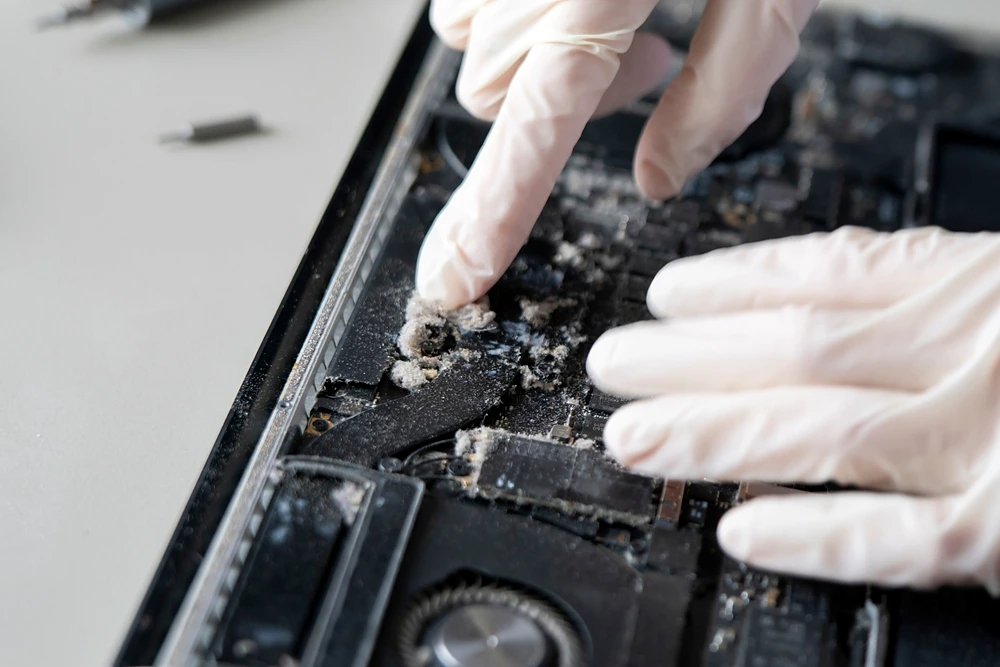
Since 2016, most MacBook Pro and MacBook Air models store data on chips soldered to the logic board, and newer Apple Silicon models encrypt that data with keys tied to the board itself. The drive can't simply be removed and read elsewhere.

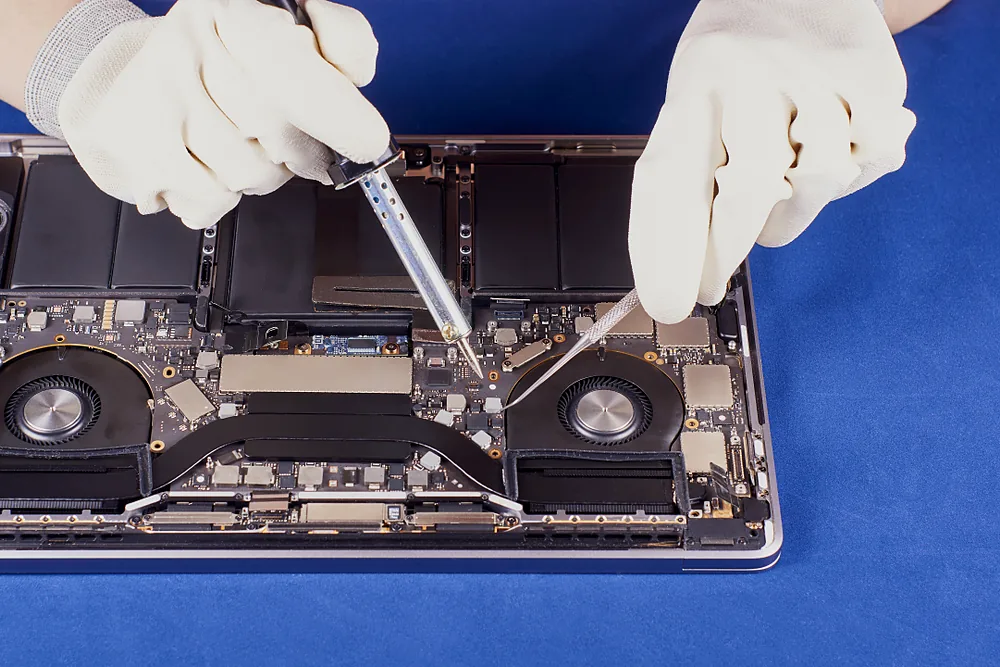
Our board-level technicians repair the damaged logic board so the machine can boot just long enough to extract your files with your password.

  • Failed components replaced under microscope
  • Corrosion cleaned and power circuits restored
  • Windows ultrabooks with soldered eMMC or UFS storage from Dell, HP, Lenovo, Microsoft and others
☎ Call for a free MacBook evaluation: 866-221-3111
Time-sensitive

Water and liquid damaged laptop recovery

Liquid causes corrosion that keeps spreading after the spill. The sooner we can clean and stabilize the board, the higher the chance of recovering everything.

DoUnplug it, remove the battery if possible, and call us right away.
Don'tPower it on or dry it with a hair dryer.
☎ Call for emergency service: 866-221-3111
Secure recovery

Encrypted laptop drives

We routinely recover data from encrypted laptops. You'll need to provide your password or recovery key; we never bypass encryption without the owner's credentials.

  • BitLocker
  • FileVault
  • Apple T2
  • Apple Silicon
  • VeraCrypt
☎ Call to start an encrypted recovery: 866-221-3111

Laptop Failures We Recover From

Whatever happened to your laptop, our lab has the tools and experience to handle it.

Dropped or Impact Damage

Drops, bumps & knocks

Dropped Laptop Data Recovery

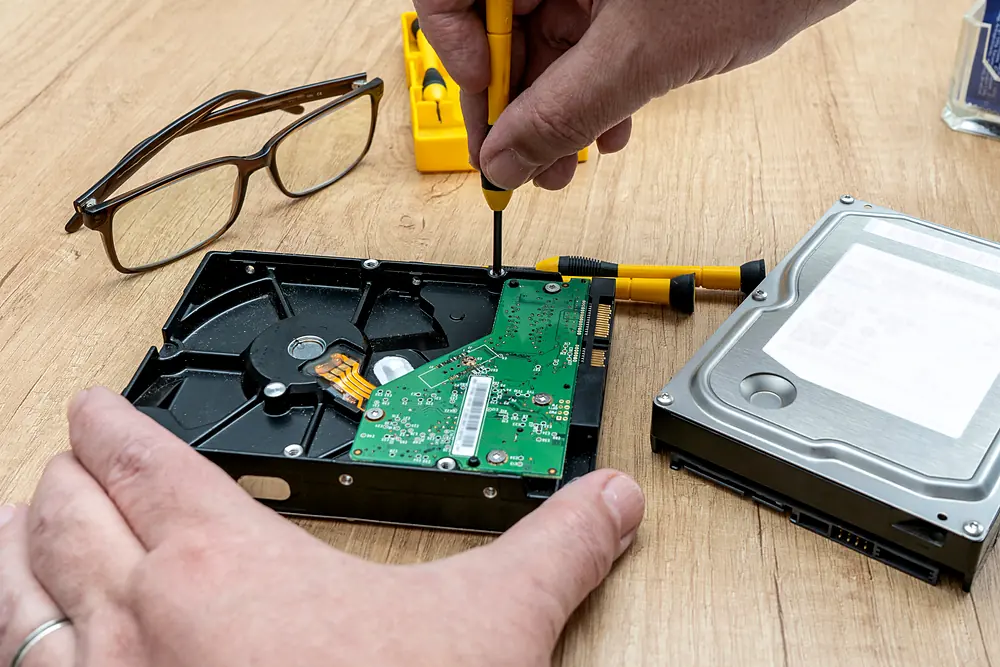
A fall while the laptop is running can slam the read/write heads into the platters of a spinning hard drive. Even when the screen still works, the drive may click, grind or stop being detected. SSDs survive drops better, but connectors and circuit boards can crack.

Typical Signs: Clicking or grinding, “No bootable device”, drive missing from BIOS, very slow or freezing

Warning: Power it off. Every restart on a damaged drive can scratch the platters further.

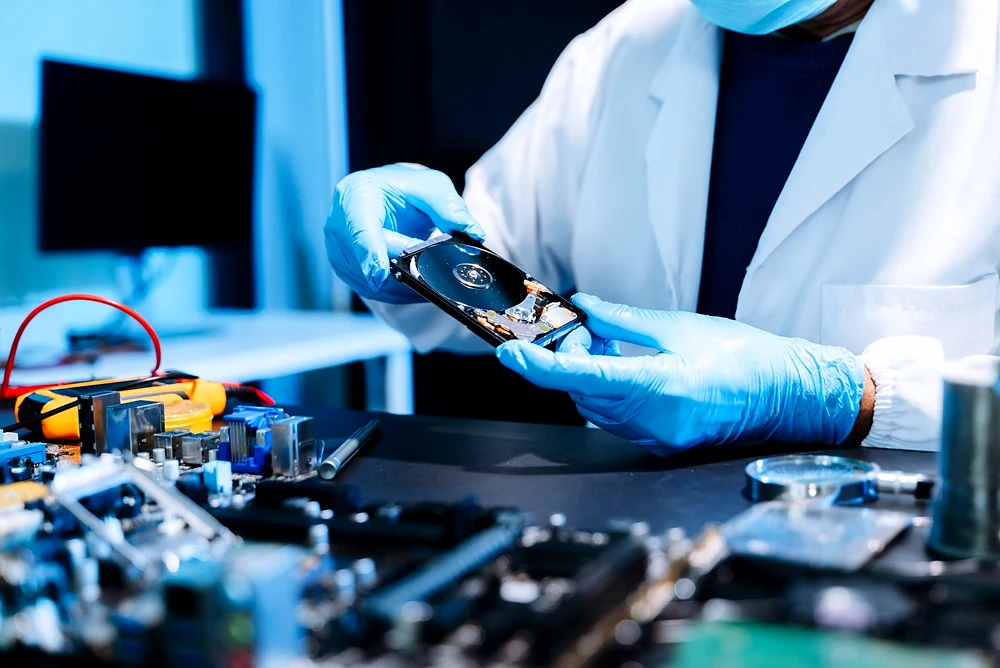
Our Process: Cleanroom head replacement with matched donor parts, then sector-by-sector imaging

Call 866-221-3111

Liquid and Water Damage

Water, coffee & spills

Liquid Damaged Laptop Recovery

Water, coffee, soda and other liquids cause short circuits and corrosion that keep spreading after the spill. Laptops with storage soldered to the board are especially at risk, because the board itself has to be repaired before the data can be read.

Typical Signs: Won’t power on, shuts off randomly, keyboard or trackpad stops working, burning smell

Warning: Don’t power it on, use rice or dry it with a hair dryer. Unplug it and call us quickly.

Our Process: Board cleaning, corrosion removal, component replacement and controlled power-up

Call 866-221-3111

Laptop Won’t Turn On

Power & motherboard faults

Dead Laptop Data Recovery

A laptop that won’t power on usually has a battery, charging circuit or motherboard fault. In most cases the storage drive itself is fine, so your files are still there. We just need a safe way to reach them.

Typical Signs: No lights or fans, black screen, only the charging light comes on, boot loop

Good News: For removable drives, we can often recover data directly without fixing the laptop.

Our Process: Drive removal and imaging, or board-level repair for MacBooks and soldered storage

Call 866-221-3111

Failed or Corrupted SSD

SATA, M.2 & NVMe

Laptop SSD Data Recovery

SSDs fail differently from hard drives. They give no warning sounds, and a controller or firmware fault can make the whole drive vanish at once. Recovering them takes specialist tools that work with the SSD’s controller and memory chips.

Typical Signs: SSD not detected, wrong or 0GB capacity, stuck in read-only mode, blue screens

Common Causes: Controller failure, firmware corruption, worn-out NAND memory, power surges

Our Process: Firmware repair, controller-level access and chip-level data extraction

Call 866-221-3111

Deleted Files and Formatting

Accidental deletion & reinstall

Deleted File Recovery

Accidentally deleted folders, an emptied Recycle Bin, a reformatted drive or a fresh Windows or macOS reinstall can all hide files that are still recoverable, as long as they haven’t been overwritten.

Typical Signs: Missing folders, empty drive after formatting, files gone after an OS reinstall or reset

Warning: Stop using the laptop now. On SSDs, TRIM can permanently erase deleted data quickly.

Our Process: Read-only imaging, then file system reconstruction and file carving

Call 866-221-3111

Ransomware and Corruption

Malware & file system damage

Ransomware & Corruption Recovery

Malware attacks, sudden power loss and failed updates can damage the file system or lock your files. Results depend on what happened, but we can often recover unencrypted copies, earlier versions or rebuild the damaged structure.

Typical Signs: Files renamed or won’t open, ransom note, “drive needs to be formatted”, RAW partitions

Warning: Disconnect from the network and don’t pay the ransom before getting advice.

Our Process: Forensic imaging, partition and file system repair, recovery of unaffected copies

Call 866-221-3111

Hover over or tap a card to see the details.

We Recover Data From All Laptop Brands

Including Windows, macOS, Linux and ChromeOS devices, from budget models to enterprise workstations.

  • Apple MacBook Pro
  • Apple MacBook Air
  • Dell XPS & Latitude
  • HP Spectre & EliteBook
  • Lenovo ThinkPad
  • ASUS ZenBook & ROG
  • Acer Aspire & Swift
  • Microsoft Surface
  • Samsung Galaxy Book
  • MSI
  • Razer Blade
  • Toshiba / Dynabook

How Our Recovery Process Works

Simple, transparent and risk-free from start to finish.

  1. Call or Visit Us

    Talk to an engineer first

    Step 1: Call or Visit Us

    Call 866-221-3111 and an engineer will walk you through your options. Then bring your laptop to a local office or ship it with our free prepaid shipping label. For MacBooks and laptops with soldered storage, always send the whole machine.

    Include: A short note on what happened, plus your password or recovery key if the drive is encrypted

    Don’t: Power it on “one more time” to check it before sending

    Call 866-221-3111
  2. Free Evaluation

    Diagnosis & firm quote

    Step 2: Free Evaluation & Quote

    Our engineers diagnose the exact fault and send you a failure report with a firm, fixed quote. Nothing happens until you approve it, and you’re free to decline with no obligation.

    No Surprises: The quote you approve is the price you pay

    Need It Faster?: Emergency service skips the queue and starts recovery right away

    Call 866-221-3111
  3. Recovery in Our Lab

    Cleanroom & board-level work

    Step 3: Recovery in Our Lab

    Once you approve, we repair what’s needed: cleanroom work for hard drives, and board-level repair for MacBooks and soldered storage. Then we make a secure image of the drive and extract your files from it.

    Safe Method: We work from a copy of your drive, never the original data

    Updates: Your recovery advisor keeps you posted at every stage

    Call 866-221-3111
  4. Get Your Files Back

    Verify, pay & receive

    Step 4: Get Your Files Back

    We send you a list of recovered files to check first. You pay only if the files you need are there, then receive your data on a new encrypted drive or by secure download.

    No Data, No Fee: If we can’t recover the files you need, you don’t pay for the recovery

    Delivery: Shipped to your door, picked up locally, or downloaded for urgent cases

    Call 866-221-3111

Hover over or tap a step to see the details.

Why Choose Our Laptop Data Recovery Specialists

Your files deserve more than a repair shop's best guess. Here's what sets a dedicated recovery lab apart.

Engineers, Not Generalists

Recovery is all we do

Engineers, Not Generalists

Our team works on failed storage every day. Laptop recovery isn’t a side service for us; it’s the core of what we do, from head swaps to chip-level SSD work.

What It Means for You: Your laptop is handled by specialists who have seen your exact failure before

Call 866-221-3111

In-House Cleanroom Lab

Certified ISO Class 5

In-House Cleanroom Lab

Physical repairs happen in our own certified cleanroom. Your drive is never sent to a third party, so it stays in our custody from arrival to return.

What It Means for You: No hand-offs, no delays waiting on another lab, and full accountability

Call 866-221-3111

Board-Level Repair

Microsoldering experts

Board-Level Repair Capability

Many labs can’t help with soldered MacBook or ultrabook storage. Our microsoldering technicians repair logic boards so encrypted data can be reached.

What It Means for You: Modern MacBooks and ultrabooks other shops turn away can still be recovered

Call 866-221-3111

Read-Only Methods

Your original stays safe

Read-Only, Non-Destructive Methods

We create a secure image of your drive before any recovery work begins, so your original data is never altered or put at further risk.

What It Means for You: One failed attempt can’t make things worse; we always work from a copy

Call 866-221-3111

Verified Results

Check files before you pay

Verified Results Before You Pay

You receive a list of recovered files to review first. If the files you need aren’t there, you don’t pay for the recovery.

What It Means for You: You only pay for results you’ve already seen

Call 866-221-3111

Strict Data Privacy

Secure chain of custody

Strict Data Privacy

Secure chain of custody, access-controlled facilities and confidentiality agreements for every technician. Business and personal data are treated the same way.

What It Means for You: Your photos, client files and business records stay confidential from start to finish

Call 866-221-3111

Hover over or tap a card to see the details.

Files We Recover From Laptops

If it was saved on your laptop, there's a good chance we can get it back, including files you thought were synced to the cloud but weren't.

  • Family photos & videos
  • Word, Excel & PDF documents
  • Outlook & Apple Mail email
  • QuickBooks & accounting files
  • Design & CAD projects
  • Source code & databases
  • Music & audio projects
  • Thesis & school work
  • Browser bookmarks & passwords

What To Do (And Avoid) After Laptop Data Loss

The first hour after a failure often decides how much can be saved.

Do this Avoid this
Power the laptop off immediately Restarting again and again to "see if it works"
Unplug the charger after a liquid spill Putting the laptop in rice or using a hair dryer
Write down what happened and any error messages Running free recovery software on a clicking drive
Call a recovery engineer at 866-221-3111 Opening the drive or laptop case yourself

Our Nationwide Customer Testimonials Say it Best

Laptop Data Recovery FAQs

Can you recover data from a laptop that won't turn on?

Yes. In most cases a laptop that won't power on has a motherboard, power or display fault, and the storage drive is still intact. We remove the drive and recover data directly from it.

Can data be recovered from a MacBook with soldered storage?

Often, yes. For MacBooks with storage soldered to the logic board, we repair the board to a working state so the encrypted data can be read with the owner's password.

How much does laptop data recovery cost?

Cost depends on the type of failure. Logical recoveries cost less than physical or cleanroom recoveries. We provide a firm quote after a free evaluation, and you pay nothing if we can't recover your data. Call 866-221-3111 to talk through your case with an engineer.

How long does laptop data recovery take?

Standard recoveries typically take 3 to 7 business days. Emergency service is available and can return data in as little as 24 to 48 hours.

Is my data kept confidential?

Yes. Your drive is handled in a secured lab, technicians work under confidentiality agreements, and recovered copies are securely wiped after you confirm receipt.

Don't Risk Your Files. Talk To an Engineer Today.

Free evaluation, fixed quotes and no data, no fee.

Prefer to chat?

☎ Call now Find location