Bellevue Data Recovery Service
Hard Drive, RAID, SSD, Flash & Phone Experts

Washington's Most Relentless Data Recovery Specialists

Choose File Savers first for Bellevue data recovery service. Our ISO 5 clean room and senior engineers recover hard drives, SSDs, RAIDs and phones with advanced firmware repair and forensic-grade imaging. We maximize your best chance at full recovery, no DIY risks, no guesswork, with exact pricing and timelines upfront. Serving Bellevue, Redmond, Kirkland, and the greater Eastside with same day response. 25,000+ successful recoveries. Free diagnosis. No Data, No Charge.

Why File Savers For Data Recovery in Bellevue, WA

Top Reasons Businesses & Families Call Us the Best Data Recovery Service in Washington

  • Relentless Determination — We exhaust every data recovery solution before calling a case impossible, including second-opinion recoveries others declined throughout Bellevue, Redmond, Kirkland, and Seattle's Eastside. From failed hard drives to water-damaged phones, it's not just our process, it's our DNA.
  • ```
  • Certified & Beyond — Industry certifications are our foundation, not our ceiling. Our commitment to excellence drives breakthrough innovation in data recovery techniques across hard drives, SSDs, RAIDs, flash media, and mobile devices.
  • Complete Customer Advocacy — From your first call to final file delivery, you get direct access to experienced recovery specialists who provide clear answers, realistic timelines, and support throughout every step of the process.
  • Elite Recovery, Fair Pricing — World class recovery expertise, advanced security protocols, and industry leading capabilities delivered at pricing that makes sense for both Bellevue businesses and local families.
```
175+ Local Locations
Free Diagnosis
No Data, No Charge
ISO 5 Clean Room
HIPAA/PCI Compliant

Secure, Certified & Trusted Bellevue Data Recovery Company

HIPAA/PCI Compliant with ISO 5 Clean Room and Thousands of Google Reviews

```
File Savers has thousands of Google reviews across our nearly 200 locations

Google Reviews

Trusted Nationwide & in Bellevue

With thousands of verified Google reviews across nearly 200 locations, File Savers has earned the trust of businesses and families throughout the country. From technology professionals in Downtown Bellevue to small businesses across the Eastside, customers consistently praise our communication, professionalism, and ability to recover critical data when it matters most.

File Savers Data Recovery strives for customer service excellence

Customer Service

Customer Service Without Compromise

From Bellevue and Redmond to Kirkland and Issaquah, our clients trust us to treat every data loss situation with urgency and respect. You'll receive honest answers, regular updates, and direct access to experienced recovery specialists committed to helping you recover the files that matter most.

File Savers is HIPAA compliant which means your medical data is in safe hands

HIPAA Compliant

Protecting Sensitive Healthcare Data

Medical practices, healthcare providers, and professional organizations throughout Bellevue rely on File Savers for secure data recovery. Our HIPAA compliant procedures, strict access controls, and secure handling practices help ensure sensitive information remains protected throughout the recovery process.

File Savers is a PCI compliant business which means your financial data is safe

PCI Compliant

Secure Financial Data Recovery

From accounting firms and financial advisors to growing businesses across the Bellevue technology corridor, organizations trust our PCI compliant recovery procedures. We handle sensitive financial information with the highest levels of security, confidentiality, and professionalism.

We operate an ISO 5 Class 100 clean room facility so we can safely work on damaged hard drives

Clean Room

ISO 5 Clean Room Protection

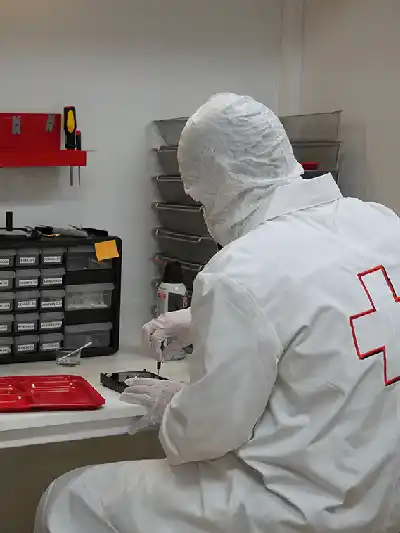
When a hard drive requires internal repairs, it is serviced inside our ISO 5 Class 100 clean room environment. This controlled workspace protects delicate drive components from dust and contamination, helping maximize recovery potential for your family photos, business records, research data, and other irreplaceable files.

```

File Savers Data Recovery Bellevue Reviews

Phone Icon Call for HELP: 206-260-0257

Bellevue's Expert Data Recovery Services

Complete Device Coverage for Hard Drives, SSDs, RAID Arrays, Phones & More

```
Hard Drive Icon

Hard Drive

Hard Drive Data Recovery Service

When a hard drive fails, whether it's clicking, dead, or no longer recognized, Bellevue businesses and families trust File Savers to recover what matters most. We overcome head crashes, firmware corruption, seized motors, and electronic failures on drives from every major manufacturer. From family memories to critical business files, we help recover data that cannot be replaced.

Learn More
External Drive Icon

External Drive

External Drive Data Recovery Service

We recover data from failed external hard drives and portable SSDs from Western Digital, Seagate, Toshiba, LaCie, Samsung, and more. Whether dropped, water damaged, clicking, or completely dead, our engineers use advanced imaging and repair techniques to recover your valuable files safely and securely.

Learn More
SSD Icon

SSD

SSD Data Recovery Service

Modern SSD failures require advanced recovery expertise. We recover data from SATA, M.2, NVMe, PCIe, and soldered SSDs suffering from controller failures, firmware corruption, power damage, failed NAND memory, and encryption challenges. Our specialists handle some of the industry's most difficult SSD recoveries.

Learn More
RAID Icon

RAID

RAID Data Recovery Service

When RAID arrays fail, businesses across Bellevue and the Eastside turn to File Savers. We recover data from RAID 0, 1, 5, 6, 10, 50, and other complex configurations affected by multiple drive failures, controller problems, accidental rebuilds, and file system corruption. Our team restores critical business data quickly and accurately.

Learn More
MacBook Icon

MacBook

MacBook Data Recovery Service

We recover data from MacBooks affected by liquid damage, logic board failures, accidental drops, SSD issues, and APFS corruption. Our engineers specialize in Apple's increasingly complex storage technologies, including models with soldered SSDs and T2 security chips, helping recover photos, documents, and business files.

Learn More
NAS Icon

NAS

NAS Data Recovery Service

Our NAS specialists recover data from Synology, QNAP, Drobo, Buffalo, WD, Netgear, and other network storage systems. Whether caused by failed drives, RAID corruption, firmware issues, power damage, or accidental deletions, we help businesses and home users regain access to their important files.

Learn More
USB Flash Icon

USB Flash Drive

USB Flash Data Recovery Service

From broken USB connectors to failed controllers and corrupted memory chips, we recover data from all types of flash drives. Whether your drive contains business documents, project files, tax records, or family photos, our advanced recovery techniques can often restore data from devices that appear completely dead.

Learn More
Camera Card Icon

Camera Card

Camera Card Data Recovery Service

Whether you're a professional photographer, videographer, or simply capturing family memories, we recover lost data from SD, microSD, CompactFlash, CFast, and other memory cards. We recover photos and videos from cards affected by corruption, physical damage, formatting errors, and electronic failure.

Learn More
Smart Phone Icon

Smart Phone

Smart Phone Data Recovery Service

We recover important data from damaged iPhones, Samsung phones, Google Pixel devices, and other smartphones. Whether your phone suffered water damage, physical impact, charging issues, motherboard failure, or refuses to power on, we can often recover photos, videos, contacts, text messages, and documents.

Learn More
DVR/CCTV Icon

DVR/CCTV

DVR/CCTV Data Recovery Service

Businesses, property managers, and organizations throughout Bellevue trust File Savers to recover surveillance footage from failed DVR and NVR systems. We restore video evidence from Hikvision, Dahua, Lorex, Swann, Samsung, and other platforms when storage drives fail, helping preserve critical security footage.

Learn More
```

What's Wrong With My Device?

Understand the Symptoms and What to Do Next

Symptoms:

Possible Failure: Read/Write Head Failure, Media Damage; including Severe Platter Damage.

Significance of Failure: Clicking sounds are a classic symptom of read/write head failure and often indicate the heads have crashed into the platters. This is one of the leading causes of permanent data loss, especially when significant platter damage is involved. In some cases, additional issues such as firmware corruption or motor failure may also be present, further complicating recovery.

Warning: Power off the device immediately. Every time the drive spins up, the heads may scrape the platters, causing irreversible damage. Continued use or DIY recovery attempts can make your data unrecoverable.

Solution: This is a highly specialized case that requires the drive to be opened in a certified clean room by a professional data recovery engineer. Our Bellevue data recovery experts have the Precision tools and experience to ensure the best chance of success.

Possible Failure: Stiction, Motor Malfunction, Electrical Problems

Significance of Failure: Beeping sounds typically indicate that the drive's internal components, such as the motor or read/write heads have suffered a mechanical seizure that prevents the platters from spinning. In many cases, the failure may also trigger electrical problems or interfere with firmware operations. These are serious failures that require specialized recovery procedures.

Warning: Do not continue powering the device. Each attempt increases the risk of physical platter damage and permanent data loss. DIY methods can turn a recoverable drive into a total loss.

Solution: Recovery must be performed in a certified clean room by a skilled engineer. Our Bellevue data recovery specialists have the tools and experience to safely handle mechanical, electrical, and firmware related failures, giving you the best possible chance of a full recovery.

Possible Failure: Electrical Failure, Motor Malfunction, Head Stiction

Significance of Failure: Electrical problems to external and/or internal parts of the drive, motor seizure, or head stiction are serious physical problems that if handled incorrectly will lead to further damage making data recovery impossible.

Warning: Power OFF the drive immediately! Continued use will likely cause further damage to critical components, making your data unrecoverable. Avoid DIY repairs, as this will only make your problem worse.

Solution: Our expert Data Recovery Engineers will treat your hard drive in a certified clean room using highly specialized tools and techniques to safely access and recover your valuable files, without causing further damage.

Possible Failure: Firmware Corruption, Head Failure, Electrical Issues, Platter Surface Degradation

Significance of Failure: A hard drive’s firmware, its internal operating system is essential for access and functionality. Most of it resides on the platters, with a critical portion on the PCB. When firmware becomes corrupted, it can be as serious as physical damage, including failed read/write heads, electrical faults, or degrading platter surfaces. If your drive isn’t detected by your computer, the failure is likely severe and complex.

Warning: Power off your drive immediately. Continued use can cause irreversible damage. Avoid running Check Disk, First Aid, or formatting the drive, these actions often make recovery more difficult or impossible.

Solution: Our local data recovery engineers will perform clean room recovery to repair firmware, address electrical and head issues, and overcome platter degradation, safely extracting your data with expert precision.

Possible Failure: Platter Degradation, Firmware Corruption, Head Failure

Significance of Failure: If your drive is reading slowly or causing your system to crash, it may be experiencing platter degradation, failing read/write heads, or firmware corruption. These issues often escalate quickly and can lead to complete data loss if not handled properly.

Warning: STOP using the drive immediately! Continued access attempts can accelerate damage and reduce the chances of recovery. Avoid DIY tools, they often make things worse.

Solution: Clean room recovery by one of our Data Recovery specialists to address platter degradation, firmware damage or head failure and extract data with specialized tools.

Possible Failure: Accidental Deletion, Format, Logical File System Damage, Media Damage, Misplaced

Significance of Failure: Missing data is a serious threat. If it’s gone from your file system due to deletion, formatting, or logical damage, using your device can overwrite it fast, making recovery impossible. If you’re sure your data wasn’t deleted or misplaced, media damage is likely the cause. Platter degradation can strike fast, destroying all your data before you know it

Warning: STOP using your HDD immediately! You're either going to overwrite your files or your drive will continue to degrade quickly.

Solution: Bring your drive to our local data recovery office for the best shot at fast file recovery. We use precision tools to maximize data retrieval, ensuring your missing files are restored.

Symptoms:

Possible Failure: Read/Write Head Failure, Media Damage; including Severe Platter Damage.

Significance of Failure: Clicking is a common symptom in external hard drives, often resulting from drops or impacts. It typically indicates a read/write head failure or platter damage, both of which are leading causes of unrecoverable drives. When heads crash into the platter surface, the damage can be severe and may also involve firmware corruption or motor malfunction, making recovery far more complex.

Warning: Unplug it now and stop! Every attempt to power it back on increases the risk of permanent data loss. DIY recovery methods will almost certainly make things worse.

Solution: Bring your external hard drive to our Bellevue data recovery service experts as soon as possible. Our expert engineers specialize in handling catastrophic failures like this inside a certified clean room, giving you the highest possible chance of successful recovery.

Possible Failure: Stiction, Motor Malfunction, Electrical Problems

Significance of Failure: Beeping usually means the drive’s motor is unable to spin the platters, often due to internal mechanical seizure or electrical failure. In many cases, this also causes the heads to crash into the platters, leading to severe data loss. These types of failures are complex and require precision to recover.

Warning: Stop powering on your external hard drive! Each attempt risks further damage to the platters and can make your data permanently unrecoverable. DIY fixes will only make the situation worse.

Solution: Bring your drive to our Bellevue external hard drive lab for clean room recovery. Our engineers are equipped to safely handle motor failure, electrical issues, firmware corruption, and head crashes, ensuring the best possible chance to recover your data without causing further harm.

Possible Failure: Head Failure, Motor Failure, Stiction, Electrical Issues

Significance of Failure: If your external drive isn’t being recognized by your computer, it’s experiencing a critical failure. This could be due to corrupted firmware, electrical damage, motor malfunction, or read/write head failure. In some cases, it may also signal early-stage platter degradation. Whatever the cause, an unrecognized drive is a serious issue that demands expert intervention.

Warning: Unplug it now! Powering it on can cause internal components to spin or send voltage across failing circuits, greatly increasing the risk of permanent data loss. Avoid DIY tools or recovery software.

Solution: Our clean room engineers will diagnose the failure, repair corrupted firmware, and safely extract your data using specialized tools and recovery techniques.

Possible Failure: Electrical Issues, Power Supply, USB Connector, Seized Heads / Motor

Significance of Failure: If your drive won’t power on, the issue could be as simple as a damaged connector, or as serious as an electrical failure inside the drive. In many cases, it's a failure of critical components like the controller board, motor, or read/write heads. Faint beeping or no sound at all may indicate seized internal parts or a short circuit.

Warning: Unplug it now! Repeated power attempts can further damage internal electronics or degrade the platters, making recovery far more difficult. Avoid DIY solutions, they often cause irreversible harm.

Solution: Bring your drive to our external hard drive data recovery specialists. With expert experience, cleanroom facilities, and precision tools, we’ll handle the rest.

Possible Failure: Accidental Deletion, Format, Logical File System Damage, Media Damage, Misplaced

Significance of Failure: Missing files are a critical warning sign. If the data was deleted, formatted, or affected by file system corruption, continued use of the drive can quickly overwrite recoverable data. If the files weren't intentionally deleted or moved, media damage, like platter degradation, may be to blame. In that case, your drive could be silently destroying what’s left.

Warning: STOP using your HDD immediately! Every second it stays powered on risks overwriting your files or accelerating internal damage. DIY tools often do more harm than good in these situations.

Solution: Bring your drive to our Bellevue data recovery lab for expert evaluation. Our precision tools and advanced techniques are designed to safely retrieve missing files before they’re gone for good.

Possible Failure: USB Connector, Power Connector, Physical problems: Electrical Issues, Platter Degradation, Firmware Corruption.

Significance of Failure: If the issue is a bad USB or power cable, it’s a minor fix. But if the drive keeps disconnecting or fails to mount, it may signal a serious internal failure. The “ding” sound only means your system detects a USB device, not that the drive is functioning. If the drive doesn’t show up in Explorer or Finder, it could be suffering from electrical damage, firmware corruption, platter degradation, or even mechanical seizure. Faint beeping can indicate a seized motor or stuck heads.

Warning: If it’s not the USB or power cable, stop using your HDD now! Repeated attempts will worsen internal damage and may lead to permanent data loss.

Solution: Bring your drive to our Bellevue data recovery lab right away. Our engineers will diagnose the issue and use advanced tools to safely recover your files—before the damage progresses further.

Symptoms:

Possible Failure: Electrical Failure, Controller Failure, Firmware Corruption, NAND Chip Degradation / Failure

Significance of Failure: When an SSD isn’t recognized by your system, it typically points to a critical failure in the controller, firmware, or NAND chips where your data is stored. Unlike hard drives, SSD's store data in an encrypted structure unique to each manufacturer. With over 30 SSD brands and dozens of connection types, every recovery requires model specific R&D, custom tools, and a deep understanding of proprietary architecture. This complexity makes expert recovery, like what we provide at File Savers, essential.

Warning: Avoid repeated power cycles! Further attempts on a failed SSD can worsen the issue, potentially corrupting your data permanently. Skip DIY recovery.

Solution: Bring your SSD to our local Bellevue office. We’ll assess controller, firmware, and NAND chip integrity in a controlled environment, and deploy specialized recovery methods tailored to your device.

Possible Failure: Cell Degradation, Bad Sectors

Significance of Failure: Slow performance or frequent crashing often points to cell degradation or bad sectors within the SSD’s NAND chips. As these cells break down, the drive struggles to read or write data, leading to instability and potential data loss. If the degradation progresses, full recovery becomes significantly more difficult.

Warning: Stop using the drive! Continued use can accelerate cell failure and permanently overwrite recoverable data. Avoid DIY software, it won’t work on degraded SSDs and can make things worse.

Solution: Professional recovery by our data recovery service experts to extract data using specialized tools, bypassing degraded cells.

Possible Failure: Laptop Component Failure, Electrical Failure, Controller Failure, Firmware Corruption, NAND Chip Degradation

Significance of Failure: Even a minor component failure can turn serious with today’s SSDs. Many manufacturers, like Apple (all MacBooks since 2017), plus some Dell, HP, Lenovo, Microsoft, and Asus models use soldered-on SSDs. If the motherboard fails, your data is trapped inside encrypted NAND chips, requiring advanced recovery techniques. Even with removable SSDs, a laptop that won’t boot signals a critical failure in a key component, making the stakes just as high.

Warning: Stop messing with it! Further actions risk causing more damage and permanent data loss.

Solution: Bring your SSD or laptop to our local office today. Our certified data recovery engineers have the tools, systems, experience and expertise to retrieve your data from a non-bootable system.

Possible Failure: Laptop Component Failure, Electrical Failure, Controller Failure, NAND Chip Degradation

Significance of Failure: SSDs can be tricky to diagnose, especially since they’re often integrated (soldered on) into modern laptops. Connecting an SSD to another system via an adapter won’t easily reveal if it’s powering up. Only specialized tools, training, and experience can confirm it. Regardless, a laptop or SSD that won’t power on poses an incredibly complex recovery challenge, even for experts like us.

Warning: Don’t continue trying to power on your non-working laptop or SSD. It risks destroying your data permanently. Stopping now maximizes recovery odds. Skip DIY fixes.

Solution: Bring your laptop or SSD to our Bellevue office today. Our engineers perform clean room diagnostics and use advanced tools to address electrical failures, repair controller-level issues, and safely extract your data.

Possible Failure: Accidental Deletion, Format, Logical File System Damage, NAND chip Degradation, Misplaced

Significance of Failure: If your files aren’t just misplaced, they may have been accidentally deleted or the drive may have been formatted. On SSDs, the TRIM command can instantly wipe deleted data to zeros, making recovery extremely difficult—or impossible if action isn’t taken immediately. Powering off the device right after the mistake offers the best shot at saving your files. If deletion isn’t the cause, NAND chip degradation or logical corruption may be to blame. Either way, it's a serious data loss situation.

Warning: Power off the device immediately. Continued use risks overwriting recoverable data. DIY recovery tools typically make the problem worse, especially on SSDs.

Solution: Bring your SSD or laptop to our office in Bellevue where our expert engineers will fight to recover your missing files, maximizing your chances of success.

Symptoms:

Possible Failure: Logic Board Failure, Power Delivery Fault, Integrated SSD Corruption. Failure likely stems from a logic board short-circuit, power management IC burnout, or compromised SSD controller due to electrical overload or thermal stress.

Significance of Failure: A non-responsive MacBook, especially post-2017 models with soldered-on SSD"s, often points to a logic board short, power IC burnout, or SSD controller failure caused by electrical overload or heat stress. These issues compromise both power delivery and data pathways. Because the SSD is integrated, Apple’s standard repair process involves full board replacement,which permanently erases your data. Without expert recovery, your files are gone for good.

Warning: Cease all power attempts immediately! Each attempt risks further shorting the logic board or corrupting the SSD’s NAND array, escalating data loss. Amateur interventions, charging, disassembly, or thermal hacks will exacerbate damage and void recovery potential.

Solution: Bring your MacBook to our Bellevue office. Unlike Apple, we focus on saving your data. Our engineers use proprietary tools and clean room techniques to isolate board-level failures, repair critical circuits, and extract data directly from soldered SSDs with forensic accuracy.

Possible Failure: Water Damage, Logic Board Failure

Significance of Failure: Water exposure causes electrical shorts, damaging the logic board and preventing access. Corrosion may worsen over time, complicating recovery. This holds for all MacBooks since 2017 with soldered-on SSD's. In older models with removable SSD's or HDD's, the problem likely stems from the storage itself. For removable SSD or HDD details, see the related sections above.

Warning: Power OFF immediately! Charging or attempting to turn the system back on can cause further electrical damage and permanent data loss. Avoid drying methods or DIY attempts, they won’t help and could make things worse.

Solution: Bring your MacBook to our Bellevue recovery lab. Our expert engineers are equipped to safely address water-damaged logic boards, recover data from soldered-on SSD's, and bypass damaged components. Apple may offer a replacement, but they’ll wipe your data in the process. We focus on saving it.

Possible Failure: Physical Damage, SSD Failure

Significance of Failure: Physical damage (e.g., dropped device, cracked / bent case) may affect the SSD or logic board, preventing access. Recovery requires bypassing the damage by specialized engineers. This holds for all MacBooks since 2017 with soldered-on SSD's. In older models with removable SSDs or HDD's, the problem likely stems from the storage itself. For removable SSD or HDD details, see those sections above.

Warning:Don’t power on your MacBook! Attempting to boot a physically damaged device can make recovery impossible. DIY attempts can cause further internal damage.

Solution: Bring your MacBook to our MacBook experts today. We’ll tackle the damage and recover your data fast and affordably.

Possible Failure: Boot loops often point to firmware corruption, SSD failure, or logic board issues interrupting the startup process.

Significance of Failure:A MacBook stuck in a boot loop signals a serious glitch, likely firmware or SSD damage disrupting the system’s ability to load. For post-2017 models with soldered-on SSDs, this complicates recovery due to encryption and integration. Older models with removable SSDs might face direct storage failure. Either way, it’s a critical hurdle.

Warning: Stop rebooting your MacBook! Repeated cycles can corrupt data further or wear down the SSD, risking permanent loss. Don’t attempt DIY resets or repairs.

Solution: Bring your laptop to our MacBook data recovery service experts. We’ll pinpoint the failure, firmware, SSD, or logic board, and recover your data fast and affordably.

Possible Failure: Missing files could stem from accidental deletion, a formatted SSD, file system corruption, or NAND cell degradation on the SSD.

Significance of Failure: If files vanish without misplacement, it’s likely deletion or formatting, worsened by TRIM wiping data to zeros on modern SSDs, making recovery tricky. For post-2017 MacBooks with soldered-on SSDs, encryption adds complexity. Alternatively, degrading NAND cells could be silently erasing data. Both scenarios are serious and time-sensitive.

Warning: Power off your MacBook now! Continued use risks overwriting deleted files or worsening NAND damage, killing recovery chances. Avoid DIY tools.

Solution: Bring your MacBook to our Mac specialists today. Our expert engineers will fight to retrieve your missing files, maximizing success with precision tools.

Symptoms:

Possible Failure: Controller failure, NAND chip failure, or physical bending, damaging circuit boards, solder joints, or connections.

Significance of Failure: Controller or NAND chip issues, or a bent flash drive will stop detection. Electrical damage often fries the controller or NAND, while bending breaks circuit boards and solder points, severing data paths. Recovery turns complex fast: controllers block access, NAND risks corruption, and physical damage demands microsurgery level fixes. Despite no moving parts, these failures hit hard.

Warning: Don’t keep plugging it in! Repeated attempts risk further electrical damage or NAND degradation, wiping your data for good. Skip DIY recovery, it’ll only make things worse.

Solution: Bring your flash drive to our local flash data recovery lab. Our expert engineers use specialized techniques to bypass controller failures, repair bent circuitry, and pull data from NAND chips, giving you the best recovery shot.

Possible Failure: Broken tips, controller failure, solder point damage, circuit board damage, or NAND chip damage, critical structural or electronic breakdowns.

Significance of Failure: Physical damage to the connector, controller, solder points, circuit board, or NAND chip blocks data access. Broken tips or cracked solder sever connections, a smashed circuit board disrupts power, and controller or NAND damage, especially in monolithic drives adds chaos. While the NAND chip may still hold your data, recovery often requires advanced ‘Chip-Off’ techniques and precision repair.

Warning: Don’t try plugging it in! Further stress could fry the circuit, snap solder points, or ruin the NAND, trashing your data for good. Skip DIY fixes, they’ll only make it worse.

Solution: Bring your flash drive to our flash recovery specialists. Our expert engineers use ‘Chip Off’ techniques, bypassing broken connectors, repairing solder and circuits, and pulling data directly from the NAND chips allowing us to recover data others can't.

Possible Failure: Loose USB connector, worn solder points, controller instability, or NAND chip wear, causing intermittent connection issues.

Significance of Failure: A flash drive that keeps connecting and disconnecting points to trouble: a loose USB tip or frayed solder points disrupt contact, while controller glitches or NAND wear mess with data signals. It’s not just annoying, it’s serious. Unstable power can corrupt your data, and in monolithic drives, these failures demand pinpoint fixes to reach the data.

Warning: Stop plugging it in and out! Repeated attempts risk frying the controller or corrupting the NAND, wiping your data for good. Don’t mess with DIY repairs.

Solution: Bring your flash drive to our experts. We will use specialized techniques to stabilize connections, fix solder points, or pull data directly from the NAND, giving you the best recovery shot.

Possible Failure: Power failure, controller burnout, broken solder points, NAND chip degradation, or other electrical component failure.

Significance of Failure: A flash drive that’s dead with no light means a critical failure. Power issues, a fried controller, or other electrical components, like resistors or capacitors cut all juice, while broken solder points block current, and NAND degradation suggests data rot. It’s a serious tangle, especially in monolithic drives where failures pile up fast. The NAND might still hold data, but recovery’s a high-stakes job.

Warning: Don’t keep trying to power it up! Each attempt could fry the NAND, zap other components, or snap solder points, trashing your data for good. Skip DIY tricks.

Solution: Bring your flash drive to our local flash data recovery service specialists. We will use specialized techniques to bypass power issues, controller flops, and failed components, extracting data from the NAND for your best recovery shot.

Possible Failure: Accidental deletion, formatting, file system corruption, controller glitches, or NAND chip wear.

Significance of Failure: Missing files on a flash drive could mean user error, like deletion or formatting or deeper trouble: corrupt file systems, a flaky controller, or NAND wear eating away at data. Unlike SSD's with TRIM, flash drives don’t always wipe instantly, but corruption or wear can still make recovery dicey. In monolithic designs, it’s even trickier. Either way, it’s a serious threat to your files.

Warning: Stop using it now! Writing new data risks overwriting what’s left, and powering it up could worsen NAND wear or controller issues, killing recovery odds. Don’t try DIY tools.

Solution: Bring your flash drive to our Bellevue data recovery service experts. We will use specialized techniques to rebuild file systems, bypass controller hiccups, and pull data from the NAND, giving you the best recovery shot.

Symptoms:

Possible Failure: Multiple drive failures, controller malfunction, power supply issues, firmware corruption, or hardware faults.

Significance of Failure: A RAID/NAS offline state or persistent error messages (e.g., ‘I/O Error,’ ‘Array Failed’) signal a severe operational failure. Multiple drive losses exceed redundancy limits, a malfunctioning controller disrupts data access, and power or firmware anomalies compromise system stability. Data persists across the array, but its availability is critically impaired, specialized recovery is essential

Warning: STOP messing with it! Never attempt a rebuild if you can’t see your data. Doing so will result in permanent and full data loss. Repeated power-ups or missteps can trash the array for good. Skip DIY rebuilds.

Solution: Bring all your RAID drives, including non-failed ones to our RAID recovery specialists. No server needed. Our expert RAID engineers will overcome the degradation and recover your data to a new USB external drive.

Possible Failure: Multiple drive failure, dead controller, motherboard, power supply or OS / File system corruption.

Significance of Failure: A server that won’t boot is a full-on RAID/NAS meltdown. Multiple drive failures, crashed controllers, dead power supplies or motherboards fries the system. Data’s still on the drives and the chances of recovery are high if you stop messing with it now! Making the right moves now are critical!

Warning: Don’t keep powering it on! Never attempt a rebuild if you can’t see your data, doing so will result in permanent and full data loss. Repeated boots can trash drives or wipe the array for good. Skip DIY rebuilds.

Solution: Bring all your RAID drives, including non-failed ones to our local RAID data recovery center. No server needed. Our expert RAID engineers will overcome the degradation and recover your data to a new USB drive.

Possible Failure: Drive failure, controller breakdown, loose connections, motherboard issues or dead backplane is likely preventing drive recognition.

Significance of Failure: Undetected drives in a RAID/NAS denote a critical detection failure. While a single drive dropout may be concealed by redundancy, a failed controller, motherboard defects, or backplane issues can disrupt array configuration, rendering multiple drives invisible. Data remains intact across the disks, but access is severely jeopardized, immediate, technical expertise is required to preserve recoverability.

Warning: Stop what your doing! Never attempt a rebuild if you can’t see your data, doing so will result in permanent and full data loss. Powering on or messing with connections risks corrupting the array for good. Avoid DIY tinkering.

Solution: Bring all your RAID drives, including non-failed ones to our RAID specialists at our Bellevue data recovery center. No server needed. Our expert RAID engineers will overcome the degradation and recover your data to a new USB drive.

Possible Failure: Multiple drive failures, controller issues, overheating components, or power supply faults.

Significance of Failure: Multiple amber lights indicate a critical RAID/NAS failure state. The loss of multiple drives exceeds redundancy thresholds (e.g., RAID 5 or 6 tolerances), an unstable controller misinterprets array metadata, or thermal and power irregularities damage essential components. Data remains distributed across the drives, but its integrity is at severe risk, recovery hinges on immediate, expert intervention.

Warning: Don’t power cycle or pull drives! Never attempt a rebuild if your data isn't visible. Doing so can result in permanent, unrecoverable data loss. Every failed attempt increases the risk of frying components or corrupting the RAID array beyond repair. Avoid DIY recovery, guesswork has consequences.

Solution: Bring all of your RAID drives, even the ones that haven’t failed to our RAID data recovery service experts in Bellevue. You don’t need to bring the full server or enclosure. Our expert RAID engineers will analyze the full array, overcome any degradation, and recover your data safely to a new USB drive.

Possible Failure: Additional drive failures, failed server components including: power supply, motherboard, backplane or RAID controller.

Significance of Failure: A failed rebuild typically stems from a second or third drive failing during the process, halting reconstruction and severing data access. This exceeds RAID tolerances (e.g., RAID 5’s single-drive limit), while controller errors, firmware incompatibilities, or latent corruption compound the issue. Data persists across the array, but its integrity is critically unstable, expert data recovery service is imperative.

Warning: Don’t try another rebuild! Never attempt a rebuild if you don't have full access to your data, doing so will result in permanent and full data loss. Forcing it risks overwriting everything. Skip DIY moves.

Solution: Gather all of your RAID drives, including the ones that still appear healthy, and bring them to our Bellevue data recovery specialists. There's no need to bring the entire server. Our specialized RAID data recovery engineers will reconstruct the array, resolve any degradation or failure, and recover your data safely to a new USB drive.

Possible Failure: Deleted or formatted drives, file system corruption, controller errors, or partial drive failure.

Significance of Failure: Data absence from a RAID/NAS indicates a significant logical or physical disruption. Deletion or formatting severs file system pointers, corruption distorts directory structures, and controller or partial drive faults fracture data mapping. With RAID’s parity or striping, a single point of failure can cascade across the array, rendering recovery technically demanding and time, sensitive.

Warning: Stop using it now!Never attempt a rebuild if your data isn’t visible, doing so can cause permanent, unrecoverable data loss. Writing new data may overwrite what’s left, and even powering on the system can worsen corruption. Avoid DIY fixes—one wrong move could eliminate your only chance of recovery.

Solution: Bring all of your RAID drives, including the ones that haven’t failed to our RAID data recovery specialist. There’s no need to bring the full server. Our expert RAID engineers will reconstruct the array, resolve degradation issues, and safely recover your data to a new USB drive.

Symptoms:

Possible Failure:Damaged connector, controller failure, monolithic chip wear, or file system corruption.

Significance of Failure: An SD or microSD card not recognized by your camera or computer endangers your photo and video shoots. A damaged connector or failed controller, common in monolithic designs cuts access, while chip wear or file system corruption adds layers of trouble. Your data’s likely still embedded, but it’s a critical situation. Quick action is vital to save it.

Warning: Stop plugging it in! Repeated attempts can stress the monolithic chip further, wiping your pictures and videos permanently. Don’t format or try DIY recovery, leave it alone.

Solution: Bring your camera card to our local office. We will use specialized techniques to bypass connector and controller failures in SD and microSD and compact flash cards, recovering your photos and videos to a new USB drive.

Possible Failure: Cracked monolithic chip, broken connector, or damaged solder points.

Significance of Failure: A physically broken SD or microSD card threatens your images and footage. If the monolithic chip is cracked, recovery’s impossible, your data’s gone. But a broken connector or damaged solder points in an intact chip can still block access, making it a serious issue. Fast, expert handling is your only shot if the chip’s not cracked.

Warning: Don’t force it into a slot! Using a broken card risks more damage, and if the monolithic chip’s cracked, your photos are already lost. Avoid DIY repairs, set it aside now.

Solution: Bring your camera card to our Bellevue office. If the monolithic chip isn’t cracked, our expert engineers use Chip Off techniques to recover data from SD and microSD cards with broken connectors or solder damage, delivering your photos and videos to a new USB drive.

Possible Failure: NAND Chip Failure, Electrical Issues

Significance of Failure: Files missing or corrupted on your SD or microSD card signal a dire loss of your photography work. Deletion or formatting, often accidental, cuts access, while file system corruption or monolithic chip degradation in these cards mangles your pictures and videos. Data may persist, but it’s at high risk, swift recovery is essential.

Warning: Stop shooting or writing! New data can overwrite your lost files, and continued use might ruin the monolithic chip, killing your work for good. Don’t use DIY tools.

Solution: Bring your camera card to our experts. We will use specialized techniques to rebuild file systems in SD and microSD cards, recovering your photos and videos to a new USB drive.

Symptoms:

Possible Failure: Corroded logic board, damaged electrical components, or power circuit failure—triggered by liquid exposure.

Significance of Failure: A water-damaged Samsung or iPhone threatens your stored memories. Corrosion or damage to the logic board or electrical components can kill the phone. Data’s still locked on the chip, encrypted by the controller, but it’s a fight against decay, expert recovery is your shot.

Warning: Don’t plug it in or turn it on! Wet components can short out, wiping your files for good. Avoid rice or DIY drying—stop now.

Solution: Bring your Samsung or iPhone to our local Bellevue phone recovery specialists. Our expert engineers perform precision motherboard repairs and use specialized tools to decrypt and extract your data, delivering it to a new USB drive.

Possible Failure: Damaged logic board, screen or damaged electrical components caused by impact or stress.

Significance of Failure: A physically damaged Samsung or iPhone, cracked or smashed, puts your photos, videos, and files at risk. A cracked logic board or damaged electrical components can sever access, even if the screen’s fine. Data’s likely still there, but recovery’s a precision job that only few can recover.

Warning: Don’t power it on or charge it! Trying a broken phone risks shorting components, losing your data forever. Skip DIY fixes, leave it off.

Solution: Bring your Samsung or iPhone to our phone data recovery service experts. Our expert engineers perform precision motherboard repairs and use specialized tools to decrypt and extract your data, delivering it to a new USB drive.

Possible Failure: Firmware corruption, logic board stress, damaged electrical components, or power issues.

Significance of Failure: A Samsung or iPhone stuck in a boot loop or refusing to start traps your photos and videos. Corrupt firmware, a stressed logic board, damaged electrical components, or power glitches keep it locked up. Data’s still there, encrypted on the chip, but cracking it needs pro expertise.

Warning: Don’t force restarts or charge it! Repeated tries can fry components, erasing your data for good. Skip DIY resets, set it aside now.

Solution: Bring your Samsung or iPhone to our local office. Our expert engineers perform precision motherboard repairs and use specialized tools to decrypt and extract your data, delivering it to a new USB drive.

Possible Failure: Dead logic board, damaged electrical components, power supply damage, or severe internal short.

Significance of Failure: A Samsung or iPhone that’s dead and won’t power on locks away your files and memories. A failed logic board, damaged electrical components, power supply, or internal short shuts it down cold. Data’s still on the chip, encrypted by the controller, but it’s a total blackout, expert recovery is your only chance.

Warning: Don’t keep plugging it in! Charging attempts can damage components further, wiping your data permanently. Avoid DIY fixes, hands off.

Solution: Bring your phone to our Samsung and iPhone data recovery service specialists. Our expert engineers perform precision motherboard repairs and use specialized tools to decrypt and extract your data, delivering it to a new USB drive.

Every failure is different. We’ll diagnose your device, explain the cause, and give you a free quote.

How Much Does Data Recovery Cost in Bellevue?

From external hard drives and MacBooks to RAID servers and phones, data recovery service cost depends on your device, failure type, and urgency

Device Type Icon representing how devices type affects cost of Data Recovery

Device Type

How device type affects your quote

Type Impacts Recovery Complexity
  • Hard drives, SSDs, phones, and RAID arrays each require specialized tools, techniques, and expertise levels.
  • Complex devices like enterprise servers need rare donor parts, proprietary firmware knowledge, and extra lab time.
  • Consumer devices (laptops, external drives) are typically more straightforward than specialized enterprise equipment.
  • Encrypted or damaged devices require advanced chip-level recovery techniques and additional processing time.
Capacity Icon Representing how capacity affects cost of Data Recovery

Device Capacity

How drive capacity affects your quote

More Capacity = More Recovery Time
  • Recovery requires sector-by-sector imaging of the entire device, not just your files.
  • Larger drives (4TB+) have more platters, complex firmware structures, and longer processing times.
  • High-capacity devices need more time on specialized equipment and extended analysis.
  • Modern encryption and advanced technologies can add further complexity to large-capacity recoveries.
Stethoscope Icon representing device failure affecting Data Recovery Cost

Failure Type

What broke determines work needed

Failure Dictates Recovery Method
  • Logical failures (deleted files, corruption) typically require less intensive recovery work.
  • Mechanical failures (clicking drives, dead devices) need clean room work and donor parts.
  • Previous DIY attempts or other lab visits can significantly complicate recovery procedures.
  • Free diagnosis identifies the exact issue and provides a firm quote before work begins.
Clock Icon representing Urgency of Data Recovery to Cost

Service Speed

Turnaround time affects price

Speed Affects Pricing Tiers
  • Standard Service (7-14 days): most affordable option with expert engineers.
  • Priority Service (2-5 days): dedicated engineer attention and queue priority.
  • Emergency Service (1-2 days): 24/7 engineering team with immediate start.
  • Urgent cases require premium resources and focused engineering attention.
Bellevue data recovery service market pricing and competitive advantages

Bellevue Market

Advanced recovery at competitive prices

Bellevue's Best Data Recovery Value
  • Local convenience with advanced capabilities: Bellevue drop-off, elite level engineers & clean room recovery that other local shops can't match.
  • Competitive pricing: We'll beat any written quote from reputable data recovery service competitors while delivering superior results.
  • Advanced recovery capabilities: Complex RAID reconstruction, chip-level phone recovery, and specialized firmware repair beyond local competitor capabilities.
  • Professional support: Our advisors guide you through the process, answering all your questions and providing real-time updates along the way.

Call to Get a Customized Quote in Minutes

We share your goal—getting your data back quickly and affordably. Call our Bellevue data recovery specialists for answers, clarity, and a quote that fits your exact situation.

  • LIVE SUPPORT FROM REAL RECOVERY SPECIALISTS: Speak directly with experienced advisors who will walk you through symptoms, timelines, and realistic next steps.
  • REAL-WORLD PRICING, NO SURPRISES: After a few quick questions, we'll give you a quote range based on actual cases, then schedule a free evaluation to confirm the problem and cost.
  • NO PRESSURE, NO RISK: We'll explain what to expect, answer your questions, and help you avoid mistakes that can make recovery harder or more expensive.
Phone Icon Call for HELP: 206-260-0257

5 Steps to Full Data Recovery in Bellevue!

We make data recovery service easy, fast, and stress-free, here’s how it works.

Diagnose Media And Give Firm Price

Free Diagnosis

Free Diagnosis

All Bellevue data recovery clients get a free diagnosis with Standard Service. Call us or submit an online quote request to receive your ticket number via text and email with drop-off instructions. Bring your device and ticket number to our Bellevue office where our receptionist will handle your service agreement and secure intake. Need faster service? Choose Priority or Emergency to skip the diagnosis and approval steps—recovery starts immediately upon arrival.

Approve Data Recovery Price

Approve Work

Approve Your Recovery

Once your Standard Service free diagnosis is complete, we’ll call with our findings and email a detailed report with a firm quote. Approve service through our secure form to start your recovery. For fastest results, Priority and Emergency options begin recovery immediately. If the quote isn’t right for you, simply decline before approval, no obligation, no pressure.

We Will Start The Data Recovery Process

Recovery Starts

Recovery Starts

Once you approve Standard Service, your device enters our secure recovery queue. Inside our certified ISO-5 cleanroom, engineers tackle the failure, whether it’s a clicking drive, firmware glitch, or degraded file system. Every step is focused on restoring your most critical files with precision, care, and the highest chance of success.

Pay For Recovered Data

Pay For Data

Pay For Data

After your recovery is successful, we’ll email you a secure link for fast online payment, credit card, debit card or PayPal. Bank wire or check are also acceptable forms of payment. Once payment is complete, we prepare your recovered data for return. No data? No charge. With File Savers, you only pay when we deliver results, no surprises, no pressure, just professional service from start to finish.

Get Data Back On New Media Device

Get Data Back

Get Data Back

Your recovered files are returned on a new USB or external drive, with original folder structure preserved in over 95% of cases. Choose pickup at our Bellevue office or have it shipped via FedEx to your home or business. For urgent recoveries, we can upload critical files to our secure server for instant download, getting your data back fast, safe, and exactly how you need it.

Files We Recover for Bellevue Businesses & Families

Recovering Critical Data Across Bellevue, Redmond, Kirkland & the Eastside

```
Financial file recovery icon

Financial

  • QuickBooks
  • Quicken
  • Peachtree
  • Sage
  • Excel
  • Money

Recover Critical Financial Records

Lost accounting data can disrupt businesses throughout Bellevue and the Eastside. We recover payroll records, accounting databases, tax documents, invoices, and financial reports from failed hard drives, SSDs, RAIDs, and servers, helping organizations restore essential business operations quickly.

Database recovery icon

Databases

  • SQL
  • MySQL
  • PostgreSQL
  • Access
  • Oracle

Restore Business-Critical Databases

Database failures can halt entire organizations. We recover damaged and corrupted database files from failed servers, storage arrays, and workstations, helping Bellevue businesses restore customer information, operational systems, inventory records, and critical business data.

Email recovery icon

Emails

  • Outlook
  • Exchange
  • Apple Mail
  • Thunderbird
  • Lotus Notes

Recover Lost Email Archives

Email systems often contain years of business communications, contracts, invoices, and client correspondence. We recover PST, OST, Exchange, and other mail archives from failed devices, restoring complete mailbox structures and important communication histories.

Virtual machine recovery icon

Virtual Machines

  • VMware
  • Hyper-V
  • XenServer

Recover Virtual Infrastructure

When storage systems fail, entire virtual environments can become inaccessible. We recover VMDK files, virtual servers, snapshots, and VM configurations from damaged RAID arrays and failed storage systems, helping businesses restore operations as quickly as possible.

Website recovery icon

Websites

  • HTML
  • CSS
  • JavaScript
  • PHP
  • JSON

Recover Website & Application Files

Lost website files and application code can represent months or years of development effort. We recover web assets, databases, source code, content management systems, and application files from failed servers, workstations, and storage devices.

Photo recovery icon

Images

  • JPEG
  • PNG
  • TIFF
  • RAW
  • CR2
  • NEF
  • ORF

Recover Photos & Image Libraries

Whether it's professional photography, family memories, marketing assets, or archived image collections, we recover photographs and image files from damaged drives, SSDs, memory cards, and storage systems using advanced recovery techniques.

Video recovery icon

Videos

  • MP4
  • MOV
  • AVI
  • WMV
  • MKV
  • FLV
  • VOB
  • WEBM

Recover Video Files & Footage

Video files are often among the largest and most valuable data assets. We recover production footage, surveillance recordings, training videos, family videos, and professional content from failed hard drives, SSDs, RAIDs, and DVR systems.

CAD recovery icon

CAD Files

  • AutoCAD
  • SolidWorks
  • Revit
  • CATIA

Recover Engineering & Design Files

Engineering drawings, construction plans, manufacturing designs, and architectural files represent countless hours of work. We recover CAD projects and technical documents from failed storage devices, helping organizations avoid costly project delays.

Audio recovery icon

Music

  • Pro Tools
  • GarageBand
  • MP3
  • WAV
  • AIFF
  • FLAC

Recover Audio Production Files

From professional recording sessions to personal music collections, we recover audio projects and media libraries from failed drives and storage systems. We help musicians, producers, podcasters, and content creators restore irreplaceable recordings.

Document recovery icon

Office Documents

  • Word
  • Excel
  • PowerPoint
  • PDF
  • OneNote
  • Publisher
  • OpenOffice

Restore Business Documents

Important reports, presentations, spreadsheets, proposals, contracts, and business records often exist nowhere else. We recover office documents from failed hard drives, SSDs, laptops, servers, and storage systems with exceptional accuracy.

Tax file recovery icon

Tax Files

  • TurboTax
  • TaxAct
  • Drake
  • ProSeries
  • Lacerte
  • H&R Block

Restore Tax Records

Tax returns, accounting records, and supporting documentation are essential for both businesses and individuals. We recover tax preparation files and financial documentation from damaged storage devices before important filing deadlines arrive.

Creative design recovery icon

Design

  • Illustrator
  • Photoshop
  • InDesign
  • Premiere
  • Final Cut
  • Lightroom

Recover Creative Project Files

Creative projects often represent hundreds of hours of work. We recover Adobe Creative Suite projects, video editing files, design assets, photography catalogs, and digital artwork from failed devices, helping creative professionals get back to work quickly.

```
Phone Icon Call for HELP: 206-260-0257

WINDOWS TO IOS, ANY SYSTEM, ANYTIME

Trusted in Bellevue for Windows, Mac, Linux, VMware, and Mobile Data Recovery

```
Windows logo representing desktop and laptop recovery

Windows

Windows Data Recovery for Desktops, Laptops, Servers

Windows powers countless business and personal devices throughout Bellevue and the Eastside. Whether you're dealing with BitLocker encryption, a failed SSD, a damaged workstation, or a crashed server, our engineers recover data from every version of Windows and NTFS based storage systems with precision and care.

Apple logo used for Mac data recovery services

macOS

macOS Data Recovery for MacBooks, iMacs, Mac Minis

From MacBooks used by Bellevue professionals to iMacs powering creative studios throughout the Eastside, we recover data from APFS, HFS+, FileVault encrypted devices, and Apple SSDs. Whether the failure involves liquid damage, a failed logic board, or storage corruption, we have the tools and experience to help.

Linux logo symbolizing Linux server and NAS recovery

Linux

Linux Data Recovery for NAS, Servers & Desktops

Linux environments are common throughout Bellevue's technology sector. We recover data from Ubuntu, Debian, Red Hat, Fedora, SUSE, and other Linux distributions using EXT2, EXT3, EXT4, XFS, and BTRFS file systems. From enterprise servers to home NAS systems, our engineers know Linux recovery inside and out.

VMware logo representing virtual machine recovery

VMware

VMware Data Recovery for Bellevue Businesses

Virtual environments are critical to modern business operations. We recover VMware virtual machines, VMFS partitions, snapshots, and virtual server environments from failed RAID arrays, damaged storage systems, and corrupted infrastructure. When downtime is costly, our team helps restore critical systems quickly.

Android logo used for mobile phone data recovery service

Android

Android Data Recovery for Phones & Tablets

We recover data from Samsung, Google Pixel, OnePlus, Motorola, LG, and other Android devices. Whether the issue is water damage, physical damage, a failed update, or a phone that no longer powers on, we recover photos, videos, contacts, messages, and documents from Android based devices throughout Bellevue and the surrounding area.

iOS logo symbolizing iPhone and iPad recovery services in Bellevue

iOS

iOS Data Recovery for iPhones & iPads

From damaged iPhones to failed iPads, we recover important photos, videos, text messages, contacts, and documents from Apple mobile devices. Our engineers work with encrypted APFS storage and complex hardware failures to help Bellevue residents and businesses recover the data that matters most.

```

Legendary Wins | Avoidable Disasters

Famous Clients We Saved

Chicago Cubs logo representing real RAID video recovery success story
Cubs’ Video Save

The Chicago Cubs’ multi-drive RAID server crashed, wiping practice footage vital for spotting swing flaws and game issues. Our 24/7 lab tore in, battling multiple failures to recover every frame in just a few days. Full win, coaches and players kept their edge, training rolled on, no downtime, no excuses.

General Motors logo representing real SQL database recovery case
General Motors SQL Recovery

General Motors faced a database wipeout on a 2TB drive. Production hung in the balance. Our ISO 5 crew came to the rescue, pulling the entire dataset back from the brink with custom precision. Full recovery in record time. GM’s engines kept humming, no downtime, no excuses.

Walt Disney logo representing real RAID recovery story
Disney's Documents Retrieval

Disney’s multi-drive RAID array tanked, multiple failures threatening creative gold. Illustrator, Photoshop, PDFs. Our Priority Recovery team went full throttle, salvaging every design file from the chaos in hours. No magic needed, just relentless skill. Disney’s vision stayed alive, deadline met.

Allstate logo representing real encrypted Seagate document recovery
Allstate's Document Rescue

Allstate’s 500GB Seagate BitLocker drive lost deleted Office docs, Excel files, PDFs, and images. Claims hung in the balance. Our crew cracked the encryption, pulling every file back from oblivion. Full recovery, we saved the day. Allstate’s team stayed on track, every file restored.

U.S. Navy logo representing reak critical platter-damaged drive recovery
U.S Navy Save

A Seagate drive with severe platter damage nearly sank critical US Navy data. We couldn’t save it all, but our relentless engineers salvaged the key Office docs and images they needed most. Critical win, full determination saved mission-critical data. Navy stayed afloat.

Toyota logo representing manufacturing drive recovery success
Toyota's Recovery

Toyota’s 80GB drive controlling engine and transmission manufacturing equipment crashed, production stalled. Our team hit the ground running, recovering every byte in our ISO 5 clean room with precision. Full recovery, no delays, Toyota’s plant roared back to life, gears grinding smoothly.

Kansas City Chiefs logo representing real RAID 0 recovery for team footage
KC Chief's Data Save

The Chiefs’ 6TB RAID 0 system with two drives, one mechanically dead, threatened all their data. Our 24/7 lab powered through, recovering every byte from the wreckage. Full win, game footage and more saved, Kansas City kept dominating winning the next two Super Bowls, no fumbles here.

Pfizer logo representing real RAID 6 server recovery of pharmaceutical data
Pfizer's Server Retrieval

Pfizer’s 12-drive RAID 6 server with proprietary drug data went down. Millions in research teetered. Our Priority crew hit it hard, restoring every byte under pressure with custom tech. Full recovery, Pfizer’s breakthroughs stayed safe, science marched on, crisis crushed.

Las Vegas Raiders logo representing real multi-drive RAID video recovery
Raiders Video Recovery

A multi-drive RAID 6 holding 40TB of game and practice video crashed, Raiders’ prep was at stake. Our 24/7 lab powered through, recovering it all with relentless precision. Full win. Las Vegas Raiders kept their playbook sharp, data saved, fans cheering.

Michelin logo representing real CAD and productivity file recovery
Michelin's CAD Recovery

Michelin’s productivity hung on three drives. CAD files, Office docs, and irreplaceable software. We tackled the multi-drive chaos, pulling every bit back with relentless skill and precision. Full recovery across the board. Michelin’s wheels kept spinning, no downtime, no losses.

DOJ logo representing real RAID 5 legal evidence data recovery
Department of Justice Evidence Save

A 3-drive RAID 5 failure threatened DOJ NC’s critical docs, Excel, images, and videos. Justice hung in the balance. Our crew smashed through, recovering every file with custom precision. Full win, cases stayed solid, evidence secure, law prevailed.

KSL logo representing real RAID crash recovery for advertising division
KSL's RAID Save

KSL’s 14-drive RAID server crashed, endangering ad division images and videos. Our Priority team went all-in, salvaging every critical file with custom tech in record time. Full recovery. KSL’s ads aired, no panic, just results.

Recovery Horror Stories

Cracked Apple icon representing platter damage caused by improper handling

Apple Tech Destroyer

Apple Tech Destroyer

Customer begged the Apple Store tech for his failed drive, instead, a tech pried it open with a screwdriver, carving 'HI' into the platter. Sent to us, the damage was a death sentence. The data was trashed beyond recovery. Rookie move cost customer everything. Should’ve called us first.

Broken RAID icon representing data loss from RAID rebuild mistake

Dell Tech Hosed It

Dell Tech Hosed It

Customer’s RAID failed, so they called Dell. The tech swapped two bad drives with blanks, initialized the array, and rebuilt it, wiping all data. By the time we got it, the overwrite was final. Nothing left to save. The wrong help burned them.

Two Friends icon representing permanent data loss after amateur recovery attempt

Friend’s Fried It

Friend Fried It

Customer ditched our quote, tapped his 'expert' friend who couldn’t recover it. Drive was left open for months. A family death hit; their only pics of them were on that disk. Sent back to us, platters were toast, data lost forever. Trying to save money, undervaluing their data, and getting the wrong people involved killed it. We would have saved it.

DIY icon representing destroyed drive from failed do-it-yourself recovery

DIY Kills It

DIY Kills It

Customer balked at our cost, tried a DIY fix and failed miserably. Sent it back to our Bellevue lab, but his meddling trashed it beyond repair. Data is now gone for good. Skimping turned a recoverable drive into a lost cause. One call to us could’ve saved it all. Now it’s just regret.

YouTube icon representing data loss caused by following online recovery hacks

YouTube Disaster Zone

YouTube Disaster Zone

Countless customers chase YouTube fixes. Many land in our Bellevue lab with drives pried open and platters wrecked, configurations lost. Online hacks turn recoverable drives into total disasters. Data shredded beyond hope. We see it weekly. Skip the videos, call us before it’s too late.

Broken drive icon representing irreversible loss due to budget recovery service

Cheap Quote Catastrophe

Cheap Quote Catastrophe

Customer picked a low-ball quote. Other company jacked it up, swapped the USB, lost the original PCB. Sent to us in Bellevue, it was unrecoverable without the original unique board. Data now impossible to recover. Bargain hunting burned them. Our upfront precision would’ve saved the day.

Computer shop icon representing data loss caused by unqualified repair techs

Local Shop Blunder

Local Shop Blunder

Desperate customers choose local Bellevue computer shops. Clueless techs make mistakes, damage drives further, constantly destroying customers chances of recovery. We see it weekly. By the time we see ‘em, irreversible damage kills any hope. Data’s toast. They trusted the wrong team, and it cost them everything. Our pros could’ve stopped the bleed.

Trusted Badge icon representing failed recovery by big-name data recovery company

Big Player Bust

Big Player Bust

Big-name recovery firms label drives ‘impossible’ we get ‘em next, tougher and pricier after their attempt. Countless cases turn sour before landing here. Data’s fate dims. Skip them, send it to us first. Our relentless precision and determination beats their fails.

See More Legendary Wins

24/7 EMERGENCY DATA RECOVERY FOR Bellevue'S CRITICAL DATA

Our Bellevue emergency intake team fast-tracks your case into active recovery, leveraging our elite engineering staff, massive parts inventory, and advanced tools to deliver faster results when others fall short.

Learn More
24/7 emergency service icon representing urgent data recovery for Bellevue customers

Fast Data Recovery in Bellevue—Pick Your Speed

Emergency, Priority, or Standard - Choose the Timeline That Fits Your Needs

```
Helicopter icon representing Emergency Data Recovery Service in Bellevue

Emergency Service

(1-2 Days)

  • Instant Start
  • 24/7 Engineers
  • Fastest in Bellevue

Is Emergency Service For Me?

When critical business data disappears, every minute matters. Emergency Service is designed for Bellevue companies facing server outages, failed RAID systems, ransomware events, or mission critical data loss. We begin immediately with no waiting, assigning senior engineers around the clock to give your data the fastest possible path to recovery.

Call Now | 206-260-0257
Ambulance icon representing Priority Data Recovery Service in Bellevue

Priority Service

(2-5 Business Days)

  • Lab Priority
  • Extra Resources
  • Quick Turnaround

Is Priority Service For Me?

Priority Service is ideal for Bellevue businesses and professionals who need their data back quickly but do not require immediate emergency processing. Your case moves ahead of standard projects, receives additional engineering resources, and benefits from accelerated recovery timelines for drives, SSDs, phones, and RAID systems.

Call Now | 206-260-0257
Medic bag icon representing Standard Data Recovery Service in Bellevue

Standard Service

(7-14 Business Days)

  • Free Diagnosis
  • Affordable Rate
  • Expert Recovery

Is Standard Service For Me?

Standard Service is our most popular option for personal and non urgent business recoveries. Whether you're recovering family photos, important documents, business records, or archived files, you'll receive a free diagnosis, a detailed quote before work begins, and expert recovery services with a typical turnaround of 7 to 14 business days.

Call Now | 206-260-0257
```
Phone Icon Call for HELP: 206-260-0257

Every Brand & Drive. Bellevue's Data Recovery Authority

From Seagate to SanDisk, We’re Manufacturer-Approved to Recover Them All

Expert Data Recovery Service for All Bellevue Industries

Specialized & Secure Solutions for Healthcare, Finance, Technology, Government, and More

```

Protecting Critical Healthcare Data

Healthcare organizations throughout Bellevue and the Eastside depend on uninterrupted access to patient records, medical imaging, and operational systems. When storage devices fail, File Savers provides secure, HIPAA-compliant data recovery services. From private practices and specialty clinics to regional healthcare providers, we help recover the information that supports quality patient care and daily operations.

Secure Recovery for Financial Professionals

Financial firms throughout Bellevue rely on secure access to client records, transaction data, and accounting systems. When a failed hard drive, SSD, or RAID threatens important information, File Savers delivers PCI-compliant recovery solutions. We help restore critical financial data quickly, securely, and with the discretion financial professionals require.

Supporting Public Sector Operations

Government agencies depend on reliable access to records, infrastructure data, and administrative systems. When storage failures disrupt operations, File Savers provides secure recovery solutions designed to protect sensitive information. We help public organizations throughout the Bellevue area recover critical data while maintaining strict security and confidentiality standards.

Data Recovery for Automotive Businesses

Automotive dealerships, repair facilities, and fleet operators depend on digital systems for diagnostics, inventory management, customer records, and operations. When data becomes inaccessible, File Savers helps recover the files needed to keep business moving. From service databases to financial records, we restore valuable information quickly and securely.

Recovering Bellevue's Memories

Family photos, videos, tax records, and personal documents are often impossible to replace. Whether a laptop stops working, an external drive fails, or a phone suffers damage, File Savers helps Bellevue residents recover the files that matter most. We provide affordable recovery options backed by our No Data, No Charge policy.

Supporting Modern Manufacturing

Manufacturers depend on CAD drawings, production systems, inventory databases, and operational records to keep facilities running efficiently. When data loss threatens productivity, File Savers helps recover critical files from servers, workstations, RAID arrays, and backup systems. Our team minimizes downtime and helps restore business continuity.

Helping Educators Protect Valuable Data

Schools, colleges, researchers, and educational organizations create enormous amounts of digital information. From student records and research data to classroom content and administrative systems, File Savers helps recover critical educational data after hardware failures, accidental deletion, or storage system crashes.

Reliable Recovery for Retail Operations

Retail businesses rely on inventory systems, customer databases, point-of-sale records, and financial data every day. When storage devices fail, File Savers helps restore critical information quickly and securely. From local boutiques to large retail operations, we help protect the data that keeps businesses running.

Supporting Bellevue's Technology Community

Bellevue is home to one of the nation's most vibrant technology sectors. When source code repositories, virtual machines, development environments, databases, or cloud infrastructure backups become inaccessible, File Savers provides advanced recovery solutions. We help technology professionals recover the data that powers innovation and growth.

Confidential Recovery for Legal Professionals

Attorneys and legal teams depend on secure access to case files, evidence, contracts, and client records. File Savers provides confidential recovery services with strict chain-of-custody procedures and secure handling practices. We help legal professionals recover critical data while maintaining the highest standards of privacy.

Recovering Valuable Creative Assets

Photographers, videographers, production teams, and content creators depend on digital assets every day. When drives fail, File Savers helps recover video footage, photography archives, audio projects, and editing files. We understand the value of creative work and work tirelessly to restore irreplaceable content.

Protecting Engineering Projects

Engineering firms rely on CAD files, GIS data, blueprints, project documentation, and technical records. When storage failures occur, File Savers helps recover critical engineering data from workstations, servers, and RAID systems. We help protect project timelines and preserve years of technical work.

Keeping Communication Networks Running

Telecommunications providers depend on network configurations, infrastructure data, customer records, and operational systems. When storage devices fail, File Savers helps recover critical information that supports network reliability and customer service. We deliver secure recovery solutions for complex telecommunications environments.

Supporting Travel and Hospitality Businesses

Travel agencies, hospitality providers, and transportation companies rely on booking systems, reservation databases, customer records, and operational files. File Savers helps recover critical business data quickly so organizations can continue serving customers without extended disruptions.

Reliable Recovery for Energy Operations

Energy providers and utility organizations depend on infrastructure records, operational databases, engineering files, and monitoring systems. When storage devices fail, File Savers helps recover critical data that supports reliable service delivery and long term operational planning.

Preserving Creative Work and Digital Portfolios

Designers, artists, architects, photographers, and creative professionals trust File Savers to recover valuable project files, media libraries, and digital portfolios. Whether data is lost from a workstation, external drive, SSD, or NAS device, we help restore the work that represents years of creativity and effort.

```

OUR PROMISE TO YOU

Our Bellevue data recovery team treats your files like they're our own. We exhaust every possible option using ISO-5 clean room facilities, proprietary tools, and decades of expertise. If we can't recover your data, it's unlikely anyone else can.

We put your needs ahead of profit and convenience. Our engineers regularly work late nights, weekends, and holidays because when data loss strikes Bellevue businesses and families, timing can make the difference between recovery and permanent loss.

Your data remains completely confidential throughout the recovery process. We maintain strict chain-of-custody protocols, secure facilities, and HIPAA-compliant procedures that exceed industry requirements for protecting sensitive information at every step.

About Us
Data recovery advisor with hand over his heart making a promise to all customres who we perform data recovery service for.
Phone Icon Call for HELP: 206-260-0257

Local Bellevue Office – File Savers Data Recovery

Bellevue Location with Expert Lab Recovery Services

File Savers Bellevue Clean Room Data Recovery Facility

Our Clean Room Facility

State-of-the-art data recovery environment

Frequently Asked Questions

Get answers to the most common data recovery questions from our experts

Data recovery costs depend on several key factors: device type (hard drives vs. SSDs vs. RAID arrays), storage capacity, failure complexity, and service speed you choose. More complex failures requiring clean room work and specialized parts cost more than simple logical recoveries.

We provide a free diagnosis with Standard Service to identify the exact issue and give you a firm quote before any work begins. No surprises, no hidden fees - you'll know the exact cost upfront.

Most importantly: You only pay if we successfully recover your data. No data, no charge—guaranteed. Call us to discuss your specific situation and get a realistic quote based on your actual device and failure type.

STOP using the device immediately. Power it off and unplug it. Continued use can cause permanent damage, especially with clicking hard drives or corrupted SSDs.

Don't try DIY fixes: Avoid software tools, freezer tricks, or opening the drive yourself. These methods often make recovery impossible and void any chance of professional recovery.

Call our Bellevue team right away for guidance on next steps. We'll walk you through safe handling and can arrange pickup or local drop-off to prevent further damage. Quick action often makes the difference between full recovery and permanent loss.

Recovery timeframes depend on your chosen service level and case complexity:

Standard Service: 7-14 business days with free diagnosis
Priority Service: 2-5 business days with lab priority
Emergency Service: 1-2 business days with immediate start

Simple logical failures (deleted files, corruption) typically complete faster than physical failures requiring clean room work. Complex cases like multi-drive RAID arrays or severely damaged devices may need additional time regardless of service level.

We'll provide realistic timeframes during your free consultation and keep you updated throughout the process.

No - this is the biggest mistake customers make. With most drive failures, you only get one shot at recovery. Failed attempts by inexperienced technicians often cause irreversible damage that makes your data permanently unrecoverable.

The harsh reality: Clicking drives have damaged heads scraping platters with every spin. Corrupted SSDs degrade further with each power cycle. Budget labs and DIY attempts frequently turn recoverable drives into total losses by opening drives outside clean rooms, using wrong parts, or improper handling techniques.

Choose the right company first. While we've saved some cases other labs ruined, your best chance of full recovery is bringing your device to experts immediately. Don't gamble with irreplaceable photos, business files, or critical data by shopping for the cheapest quote first.

Absolutely. Data security and confidentiality are fundamental to our service. We maintain strict protocols throughout the entire recovery process:

Secure facilities: ISO 5 clean room with restricted access and surveillance
Chain of custody: Your device is tracked and documented at every step
Compliance standards: HIPAA and PCI DSS certified for handling sensitive data

Our technicians sign confidentiality agreements, and we never access your personal files beyond what's necessary for recovery verification. Your data is returned securely and permanently deleted from our systems after successful delivery.

SERVING ALL CITIES IN THE PUGET SOUND REGION

Brown

Brown County

  • Green Bay
  • De Pere
  • Outagamie

    Outagamie County

  • Appleton
  • Kaukauna
  • Seymour
  • Combined Locks
  • Kimberly
  • Manitowoc

    Manitowoc County

  • Manitowoc
  • Two Rivers
  • Kiel
  • Calumet

    Calumet County

  • Chilton
  • Brillion
  • New Holstein
  • Appleton
  • Kaukauna
  • Menasha